
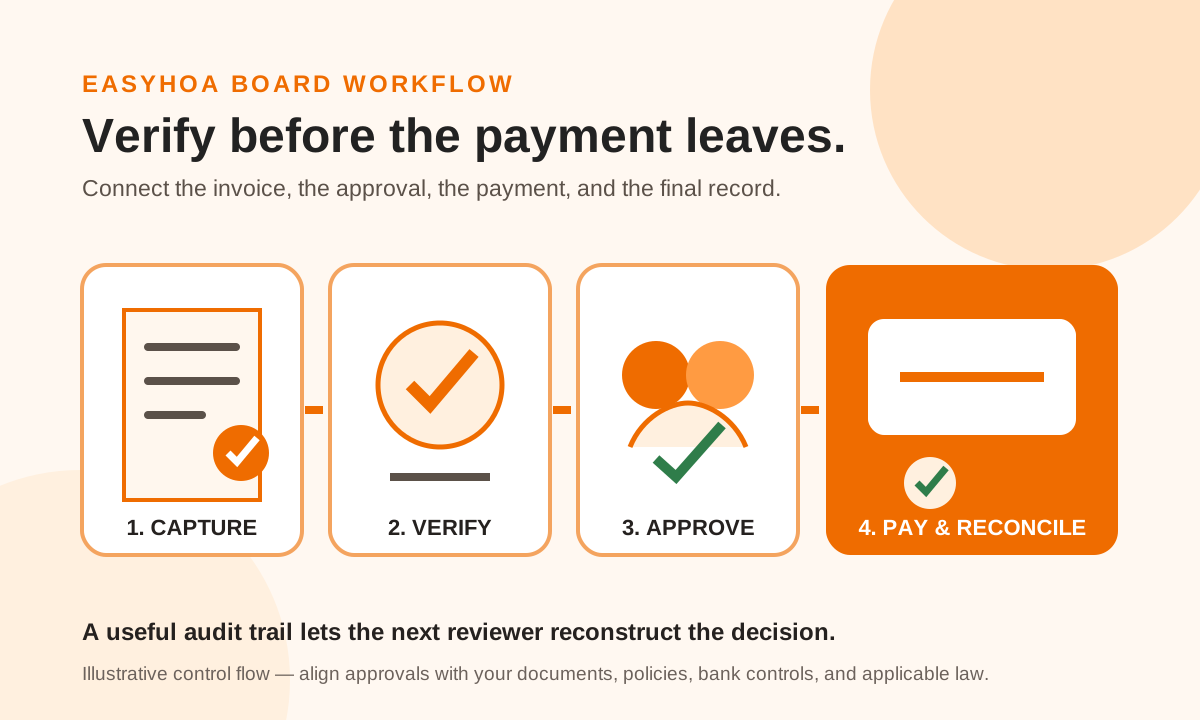
Capture every invoice in one intake queue
Ask vendors to send bills to one monitored address or upload location instead of individual board members. Record the date received, vendor, invoice number, amount, due date, related contract or work order, and the person responsible for the first review. A single queue reduces the chance that a bill is paid twice, missed, or approved from an incomplete email thread.
Keep the original invoice and related documents together. IRS Publication 583 explains that supporting documents such as invoices, receipts, paid bills, and canceled checks support entries in the books. An association should also follow the retention rules in its governing documents, applicable law, insurance requirements, and professional advice.
- Original invoice and vendor contact information
- Contract, proposal, work order, or board authorization
- Evidence that goods or services were received
- Accounting category and funding account
- Due date, discounts, credits, and prior payments
Verify the bill before requesting approval
The reviewer should compare the invoice with the agreement and the work actually completed. Confirm the legal vendor name, remittance instructions, invoice number, dates, quantity or scope, tax treatment when relevant, and arithmetic. Treat a sudden bank-account change, unfamiliar contact, duplicate invoice number, or amount outside the contract as a reason to pause and verify through a known contact method.
Document exceptions instead of resolving them only in conversation. If a landscaping invoice includes extra work, record who requested it and the basis for the additional charge. If the work is incomplete, note the disputed amount and the follow-up owner. The goal is a record another board member can understand later.
Separate review, approval, and payment when practical
The U.S. Government Accountability Office’s internal-control standards describe separating authority, custody, and accounting duties, and using alternative controls when limited staffing makes full separation impractical. An HOA is not a federal agency, but the principle is useful: avoid having one person create the vendor, approve the expense, release the payment, and reconcile the bank account without another review.
A small volunteer board may not have four different people available. Practical alternatives include requiring two documented approvers above a board-set threshold, having someone other than the payment initiator review the supporting packet, presenting a payment register at the next meeting, and assigning bank reconciliation to a person who did not release the payments. The board should align thresholds and authority with its governing documents, adopted policies, bank controls, and applicable law.
- Reviewer: confirms the invoice and supporting work
- Approver: confirms authority, budget, and policy
- Payment initiator: schedules the authorized amount
- Reconciler: matches the cleared payment to the records
- Board: reviews exceptions and recurring control problems
Record approval before releasing payment
An approval record should identify the invoice, amount, account, approver, date, and any conditions. Avoid vague messages such as “looks good” when several invoices are in the thread. If the board approved a contract or project earlier, connect that decision to the specific bill while still verifying that this invoice fits the approved scope.
EasyHOA’s public Help Center describes Bill Pay as a workflow for entering or uploading vendor invoices, optionally routing approvals, and submitting payments through the dashboard. Its first-payment guide recommends attaching the invoice for recordkeeping, approval workflows, and audit history. Boards should configure and test the workflow that matches their own authority rules before relying on it.
Close the loop after payment
After payment is released, retain the payment reference, cleared date, funding account, and any vendor confirmation with the invoice packet. Post the transaction to the correct account, then reconcile it to the bank statement. Mark credits, voids, partial payments, and disputed balances clearly so the same invoice is not paid again.
Review the process monthly. Look for late approvals, duplicate submissions, recurring exceptions, vendor-detail changes, missing attachments, and payments that remained outstanding longer than expected. A concise exception log helps the board improve the process without rereading every invoice.
- Match the cleared payment to the approved amount
- Confirm the general-ledger category and supporting attachment
- Investigate duplicate, altered, or unusually old items
- Report unresolved exceptions to the board
- Retain the final packet under the association’s record policy
Sources & further reading
Keep exploring
Created with AI assistance for EasyHOA. Sources are linked above; community procedures should reflect your association’s circumstances.
← All articles